
Litmux Studio 0.2 is here
Sun 18 Oct 2026
Litmux Studio 0.2 brings photo-real pictures straight from the 3D apps, a cleaner way to choose a plan and pay, and this website.
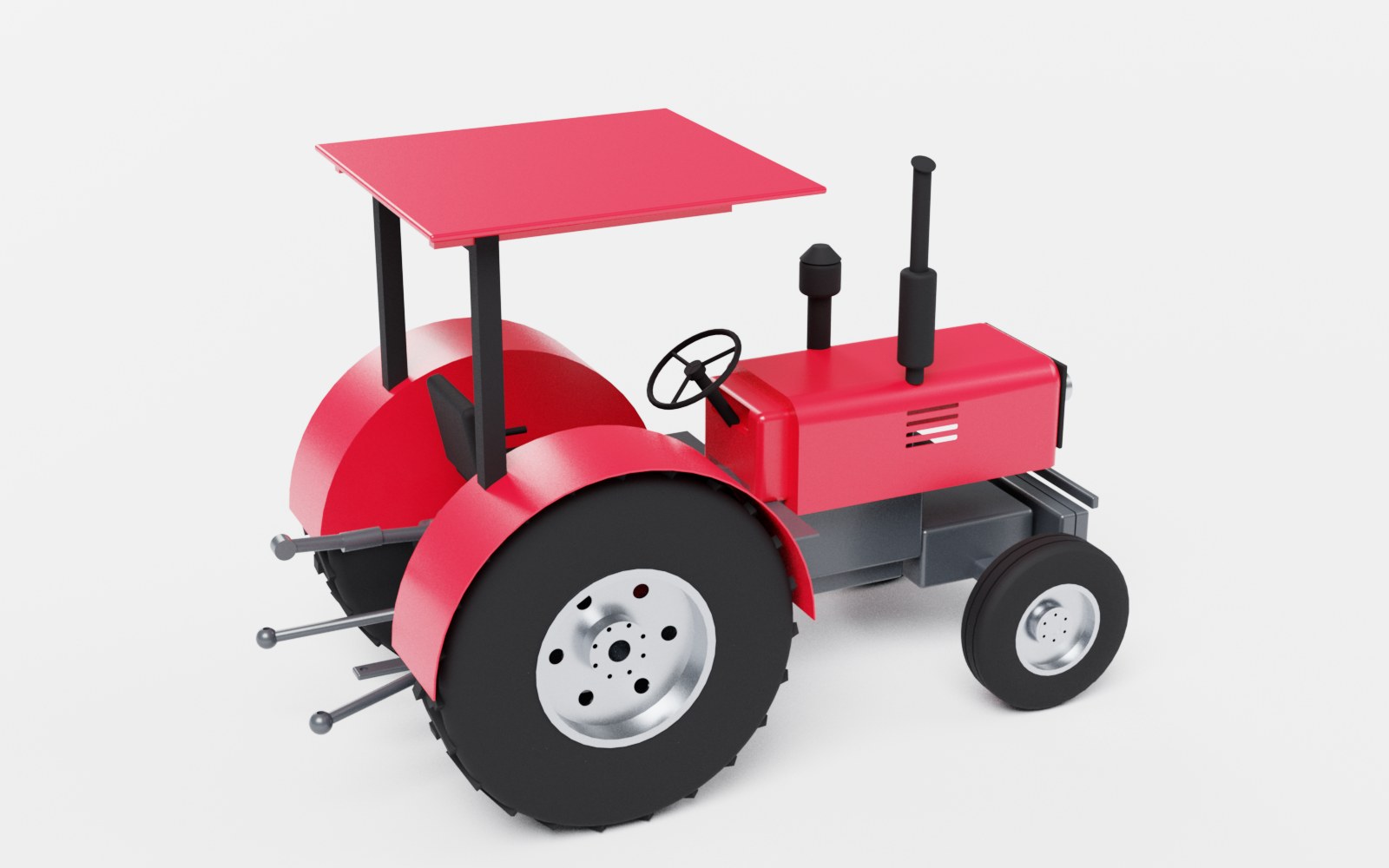
Render: photo-real pictures of your designs
Press Ctrl+R in 3D Assembly or Part Design (or the new Render button) and the view is ray traced in a photo studio: light bounces between the parts, shadows are soft, paint gets a clear coat and metal reflects the soft boxes. Choose the size (up to 4K), the quality and a light or dark studio, then save or copy the picture. It runs on the processor, so you keep working while it renders.
A ground shadow in the 3D views
Parts and assemblies now sit on a soft shadow, like Fusion's ground shadow. Explode an assembly or hide parts and the shadow follows. Switch it off in the View menu.
Plans: Student, Maker, Pro and School / Lab
The account window shows the plans side by side with what each one opens, monthly or yearly. Pay with Mobile Money inside the app - tick Renew automatically to approve it once - or by card. Cancel automatic renewal any time from your account.
A free trial on your computer
Create an account in the app and every app opens for 7 days on that computer. No payment is needed to try.