Electronics and code
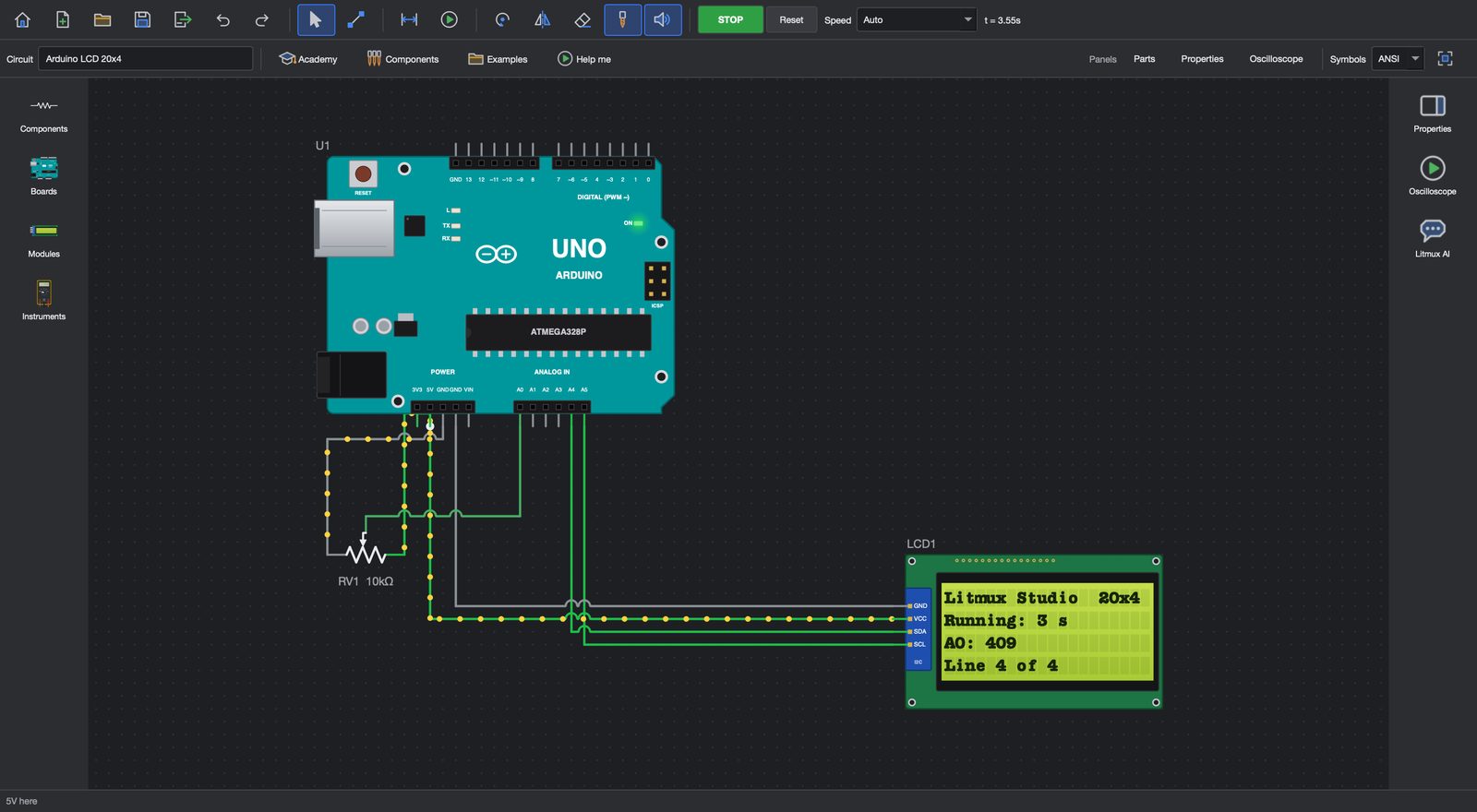
Circuits run live as you wire them, with a multimeter and an oscilloscope. Program Arduino, ESP32 and Raspberry Pi Pico in Blocks or in code, then upload to a real Uno, Nano or Mega over USB - the compiler comes with the app.

Design • Make • Automate
CAD, PCB milling, electronics, automation and robots in one app · free 7-day trial
Circuits run live as you wire them, with a multimeter and an oscilloscope. Program Arduino, ESP32 and Raspberry Pi Pico in Blocks or in code, then upload to a real Uno, Nano or Mega over USB - the compiler comes with the app.
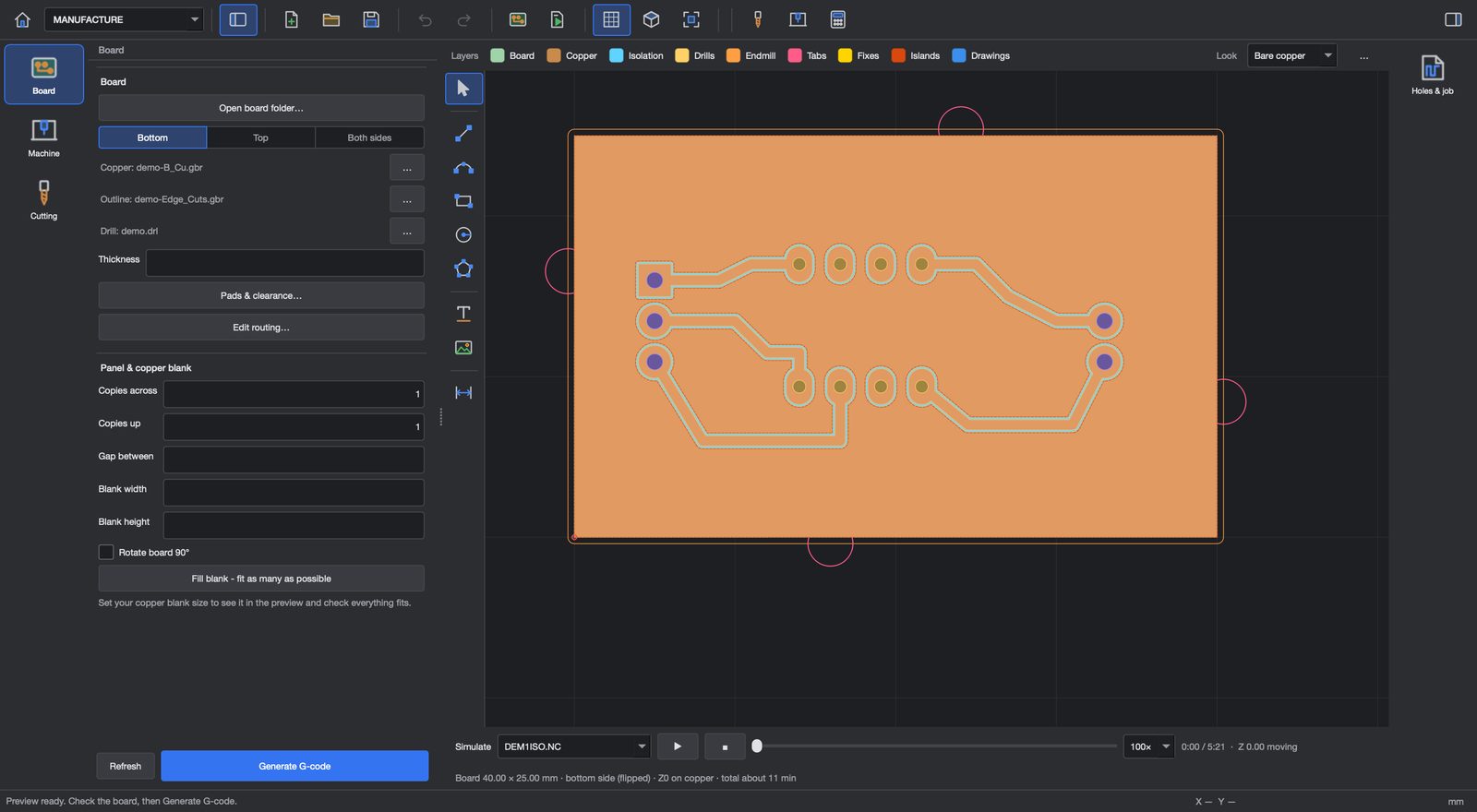
Open Gerber and drill files or draw the board yourself, plan isolation, drilling and the cut-out, and simulate every pass before the bit touches copper. Plain G-code for your CNC router, toner-transfer PDFs at 1:1.
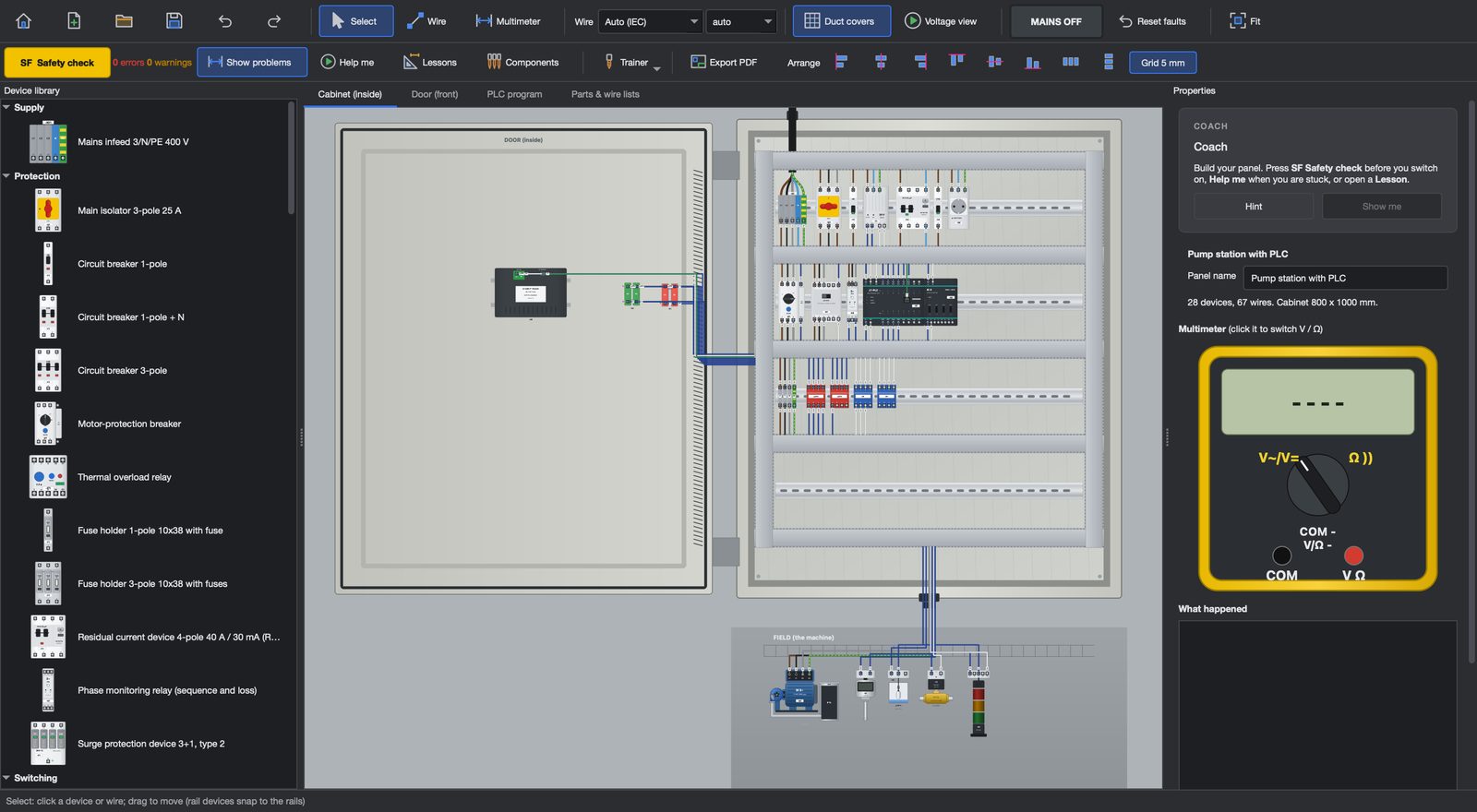
Build a control cabinet the way it is built in the workshop: breakers, contactors, overloads, a PLC and terminals on DIN rails, wiring ducts and numbered wires. Run the safety check, switch the mains on and test it with a multimeter.
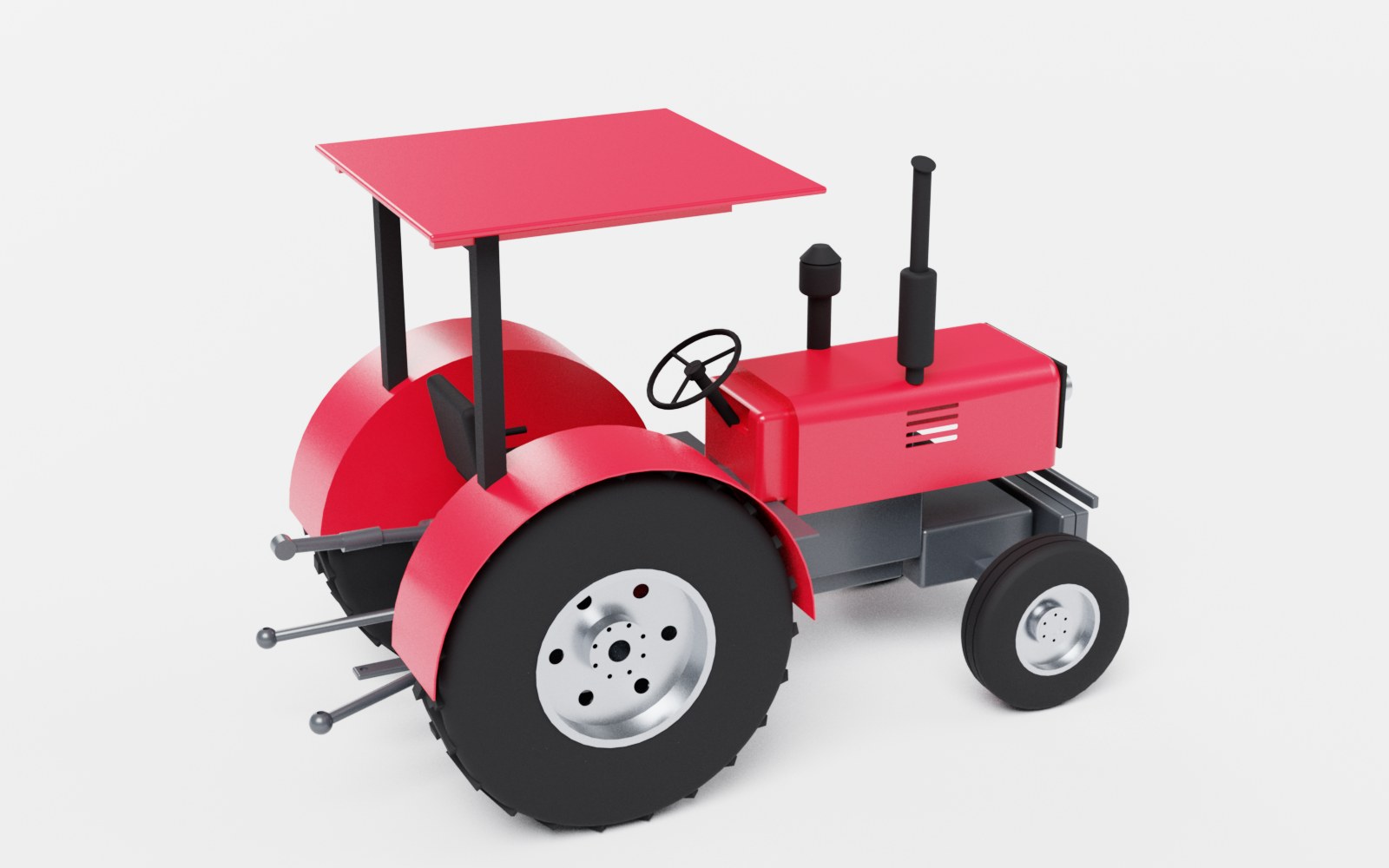
Sketch a part and extrude it, assemble parts in 3D, make drawing sets with hole tables, laser-ready DXF and sheet-metal flat patterns - then press Render for a photo-real picture like this one.
Write a PLC ladder program and run a whole production line in 3D, or teach a six-axis robot its points and let the PLC drive the cell.
Build the phone app for your ESP32, ESP8266 or Raspberry Pi Pico W in minutes. Drag switches, buttons, sliders, gauges, charts and LEDs onto a phone screen, press Set up the board for ready code, and control your project from anywhere. Rules run on our server - when the temperature passes 30 °C, switch the pump on and e-mail me - even while your computer is off.
Build a robot car from the parts of the kits schools buy, program it, and watch it drive in a physics simulation that behaves like the real thing - tyre friction, the ultrasonic sensor's cone, bumps. Then put the same program on your real robot over USB.
Every app on every lab computer, licence keys for the lab, and Litmux Academy courses with progress and certificates for each learner.
Sponsors help us keep Litmux Studio affordable for students and schools across Africa. Become a sponsor and your logo goes here.